
Streamline communication and boost team collaboration with our shared inbox for teams, keeping all your messages in one place.

✍🏻 ⚒️ 📅 📈 📢
Best Shared Email Management Software for Any Platform & Every Business
Enhance your team communication with our powerful shared inbox management.
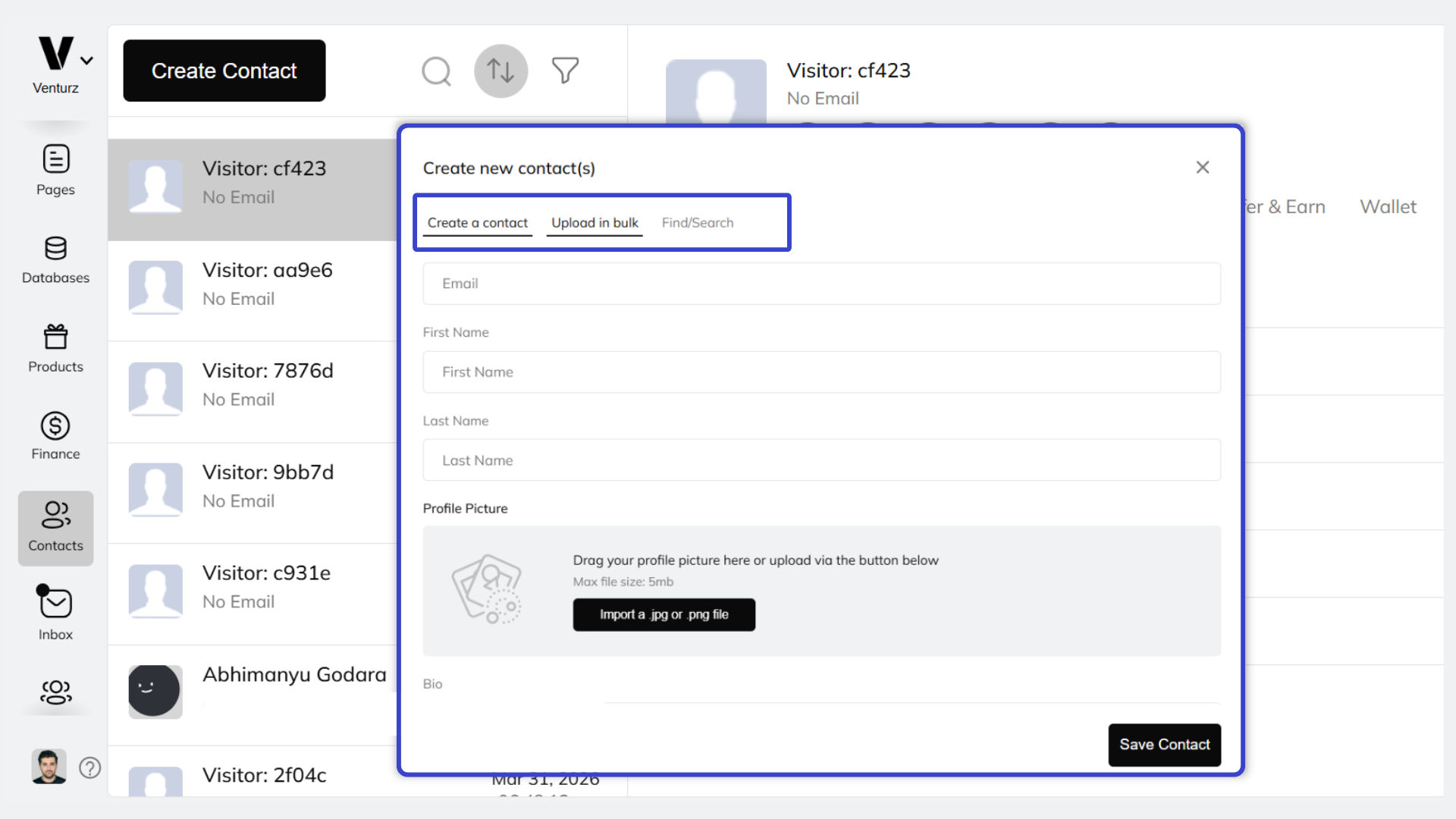
With our shared inbox tool, Bring your team together. Head to settings, click on "Invite Team Members," and enter their emails. Each member will get an invite to join your team inbox, ensuring everyone stays connected and organized. Streamline your communication and keep your projects on track with simple team inbox management.
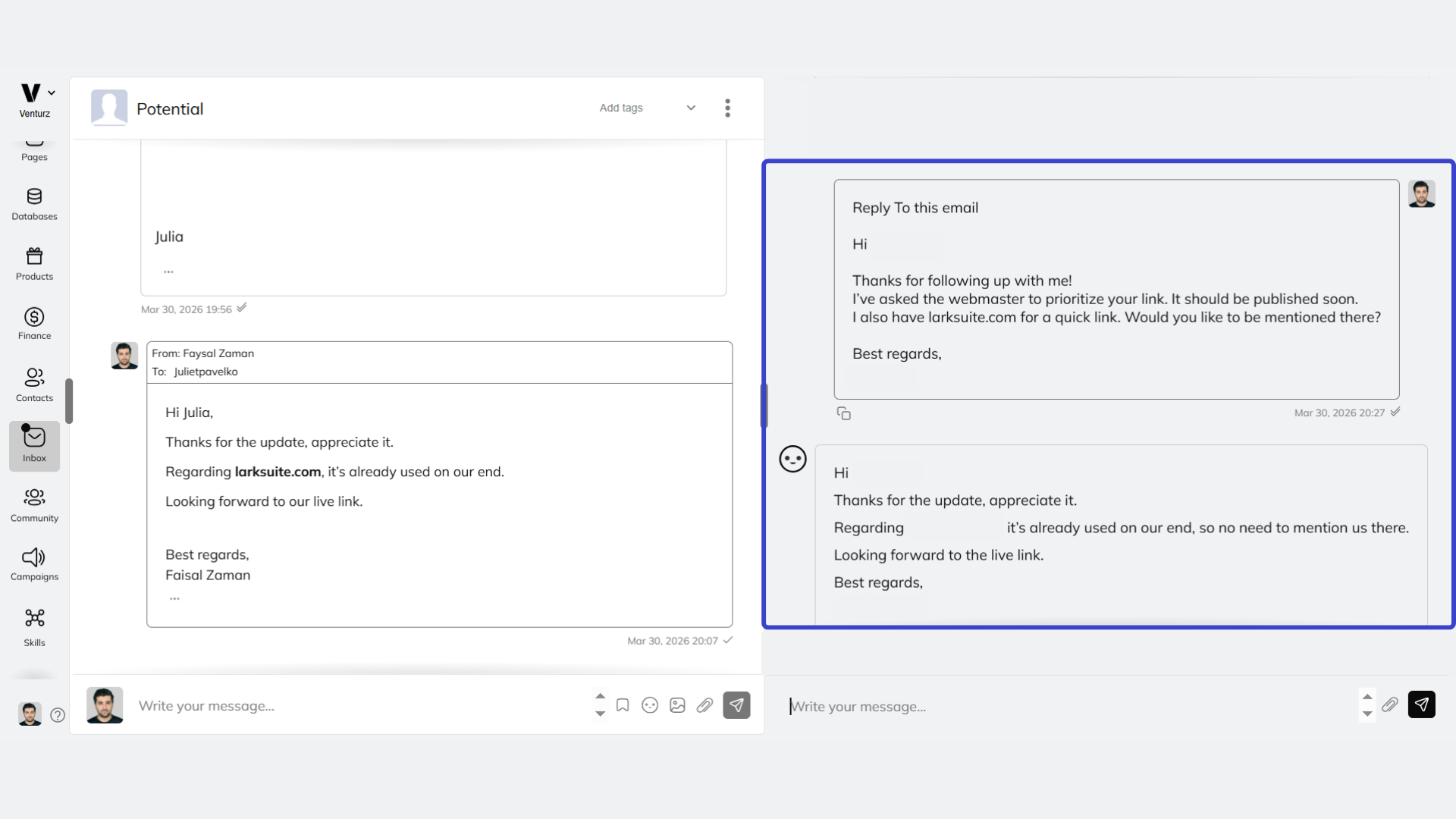
Easily respond to emails using our AI assistant. Whether you’re handling customer inquiries or internal communications, our AI helps you craft quick and effective replies. With Venturz Team inbox, everyone on your team can access and use the AI to streamline responses, making communication faster and more efficient.

Keep your inbox tidy by adding tags and filters to your emails. Teams can easily categorize messages, making it simple to find and manage important conversations. Use tags to label emails by priority or topic, and set up filters to automatically sort incoming messages. It's an easy way to stay organized and keep your collaborative inbox running smoothly.
With our shared inbox, teams can easily edit emails using our email template builder. Customize your messages with different fonts, colors, and layouts to make them look professional and engaging. Whether you're sending out newsletters or customer responses, our template builder helps you create polished emails that get noticed.

📢
⭐️⭐️⭐️⭐️⭐️
Amazing Customer Support!!
As someone who isn't tech-savvy, I was worried about the setup process. The support team completely exceeded my expectations - they responded quickly to every question and walked me through connecting my Namecheap domain and creating webpages with incredible patience and friendliness.
Andria

⭐️⭐️⭐️⭐️⭐️
Business in a box | Something Special about this tool (I can't put my finger on it)
Okay this tool gives me vibes of Vonza and Mastera mixed together. I know I am dating myself but it just does that. I thought Vonza was great for it's time and Mastera was great but both had restrictions. This tool gives you both of them in a ready made box.
Jenny

⭐️⭐️⭐️⭐️⭐️
Why Every Startup Needs Venturz in Their Toolkit — Grab It While You Can!
I just had to share my short experience with Venturz because honestly, it’s been incredible.
This tool has truly transformed the way I run my business and made everything so much easier.
Anwar

Shared inbox software gives an entire team visibility into and control over a common pool of incoming messages — replacing the chaos of forwarded emails, CC chains, and individual inboxes with a single organized workspace where communication is visible, assignable, and trackable.
Venturz provides free shared inbox software built for startups that need structured team communication without the overhead of expensive helpdesk platforms. Every incoming message is accessible to the full team, connected to CRM contact data, and manageable through a clean, collaborative interface that keeps customer conversations organized from first message to final resolution.
Missed messages in individual inbox setups happen for predictable reasons — the responsible person is unavailable, the email was forwarded and forgotten, or two people assumed the other was handling it. None of these failure modes exist in a well-structured shared inbox.
Venturz eliminates missed messages by making every incoming communication visible to the entire team simultaneously. No message sits unseen in a personal inbox while a customer waits. No conversation falls through the cracks during team transitions or high-volume periods.
Combined with email assignment tools that create clear ownership over every conversation, Venturz ensures that visibility and accountability work together — every message is seen, every message has an owner, and every customer receives a response.
Email assignment inside Venturz shared inbox software works by allowing any team member to allocate an incoming conversation to a specific colleague — creating unambiguous ownership without removing broader team visibility.
The assigned team member is notified immediately and takes responsibility for the response. The rest of the team can see the assignment status, monitor progress, and step in if needed — all without the conversation being buried in a private inbox that only one person can access.
This structure is particularly valuable for startups where different team members handle different types of customer queries. Sales conversations get routed to sales. Support issues go to the right specialist. Founder-level escalations are flagged and assigned appropriately — all within the same shared email inbox, without manual forwarding or separate ticketing systems.
Without CRM connectivity, a shared inbox is just a better organized version of email — it tells you what a customer said, but nothing about who they are, what their history looks like, or why their message matters in the context of the broader relationship.
Venturz connects its shared inbox directly to CRM contact records, so every incoming message arrives with full customer context attached. The responding team member immediately sees the contact's deal stage, previous interactions, and relationship history — without opening a separate platform or asking a colleague for background.
This context transforms the quality of responses. A reply informed by a customer's full history is measurably more relevant than one written in isolation. For startups where customer relationship quality is a competitive differentiator, CRM-connected collaborative inbox software is not an advanced feature — it is the baseline standard that makes shared inbox tools genuinely useful for driving business outcomes.
Yes. Venturz unifies communication from multiple channels into a single shared inbox — eliminating the platform-switching that fragments team attention and allows messages to slip through unnoticed.
When different channels each have their own separate inbox, the operational cost compounds quickly. Team members check multiple platforms, miss messages in less-frequented channels, and lose the thread of conversations that span more than one source. Customer experience suffers because no single team member has the complete picture.
Venturz solves this through a multi-channel unified inbox that consolidates incoming communication into one shared workspace — where every message, regardless of origin, is visible, assignable, and connected to the same CRM data that informs every other customer interaction.
Inbox performance tracking reveals the operational reality of how a team is managing customer communication — response times, conversation volumes, resolution rates, and workload distribution — replacing the subjective sense that things are running smoothly with objective data that either confirms or challenges that assumption.
Venturz tracks performance metrics within its team shared inbox, surfacing insights that show where response time standards are being met and where bottlenecks are developing before they become visible to customers. Founders can see which team members are managing the highest loads, which conversation types take longest to resolve, and whether overall inbox health is improving or deteriorating over time.
For startups scaling their customer-facing teams, this data is what makes inbox management a managed process rather than a hoped-for outcome.
Every customer communication failure — a delayed response, a duplicate reply, a contradictory answer from two different team members — is ultimately a structural problem, not a people problem. Shared inbox software fixes the structure.
When the entire team operates from the same inbox with clear assignment, full conversation history, and CRM context attached to every message, the customer experience on the receiving end becomes consistently better. Responses arrive faster because no message waits in an unmonitored personal inbox. Answers are more accurate because the responding team member has full context. Follow-ups are more relevant because conversation history is visible to whoever picks up the thread next.
Venturz shared inbox tools make this consistency automatic rather than dependent on individual effort — ensuring that customer communication quality scales with the team rather than deteriorating as volume increases.
The instinct to delay shared inbox implementation until the team is larger is one of the most common and costly mistakes early-stage startups make — because the communication habits formed with two or three people become the structural patterns that break at ten.
Starting with Venturz free shared inbox software from the beginning means building visibility, accountability, and organized communication into the team's workflow before disorder becomes entrenched. A two-person team using a shared inbox develops the coordination habits that make scaling to a larger team seamless. A two-person team relying on individual inboxes creates invisible dependencies that create chaos the moment a third person joins.
The setup takes minutes. The organizational benefit compounds with every hire, every customer, and every conversation that follows.

Discover the key differences between shared mailboxes and distribution lists. Maximize efficiency and collaboration.

Discover effective tools to enhance customer communication. Boost engagement and satisfaction with innovative solutions.

What are Online Collaboration Tools? Definition, Types and Benefits
Discover top online collaboration tools for seamless teamwork, communication, and efficient project management. Boost productivity today.
or
Startup Events
Live Chat

The AI-powered incubator for founders building real businesses.
Entrepreneurship is hard. We make it easy.
© 2026 GoVenturz, LLC